The difference between a website that converts and one that frustrates users almost always comes down to UX design. User experience is not a single feature you bolt onto a project at the end — it is a philosophy that shapes every decision, from layout and typography to button placement and error messages. Whether you are building a landing page from scratch or overhauling an existing site, understanding and applying core UX design principles is what separates a truly great website from a mediocre one.
What Is UX Design and Why Does It Matter?
UX design — short for user experience design — is the practice of creating products that provide meaningful, relevant experiences to users. In web design, this means thinking carefully about how visitors interact with every element on the page: what they see first, how they navigate, whether they can complete their goals without friction.
Poor UX has real consequences. Studies consistently show that users abandon sites within seconds if they cannot find what they need. A confusing navigation menu, slow load times, or a checkout process with too many steps all translate directly into lost revenue and higher bounce rates. Good UX, on the other hand, builds trust, increases engagement, and drives conversions.
1. Establish a Clear Visual Hierarchy
Visual hierarchy is the principle of arranging elements so that the most important content is perceived first. Users scan pages rather than reading them word for word, so your layout needs to guide the eye naturally.
How to apply visual hierarchy:
- Use size to signal importance — headlines should be noticeably larger than body text
- Apply contrast to draw attention to CTAs, key data, and primary messages
- Use whitespace generously to give content room to breathe and prevent cognitive overload
- Group related elements together using proximity so users intuitively understand relationships
A strong visual hierarchy means a user landing on your page immediately knows what you do, who it is for, and what to do next — without having to think.
2. Design for Usability First
Usability means how easily and efficiently users can accomplish their goals on your site. A visually stunning website that is difficult to navigate will always underperform a simpler, intuitive one.
The foundational usability heuristics, originally defined by Jakob Nielsen, remain as relevant today as ever:
- Visibility of system status — always let users know what is happening (loading indicators, form confirmations)
- Match between system and real world — use language and concepts familiar to your audience, not internal jargon
- User control and freedom — provide clear ways to undo actions, go back, or exit processes
- Consistency and standards — follow platform conventions so users do not have to learn new patterns
- Error prevention — design to prevent mistakes before they happen, not just recover from them
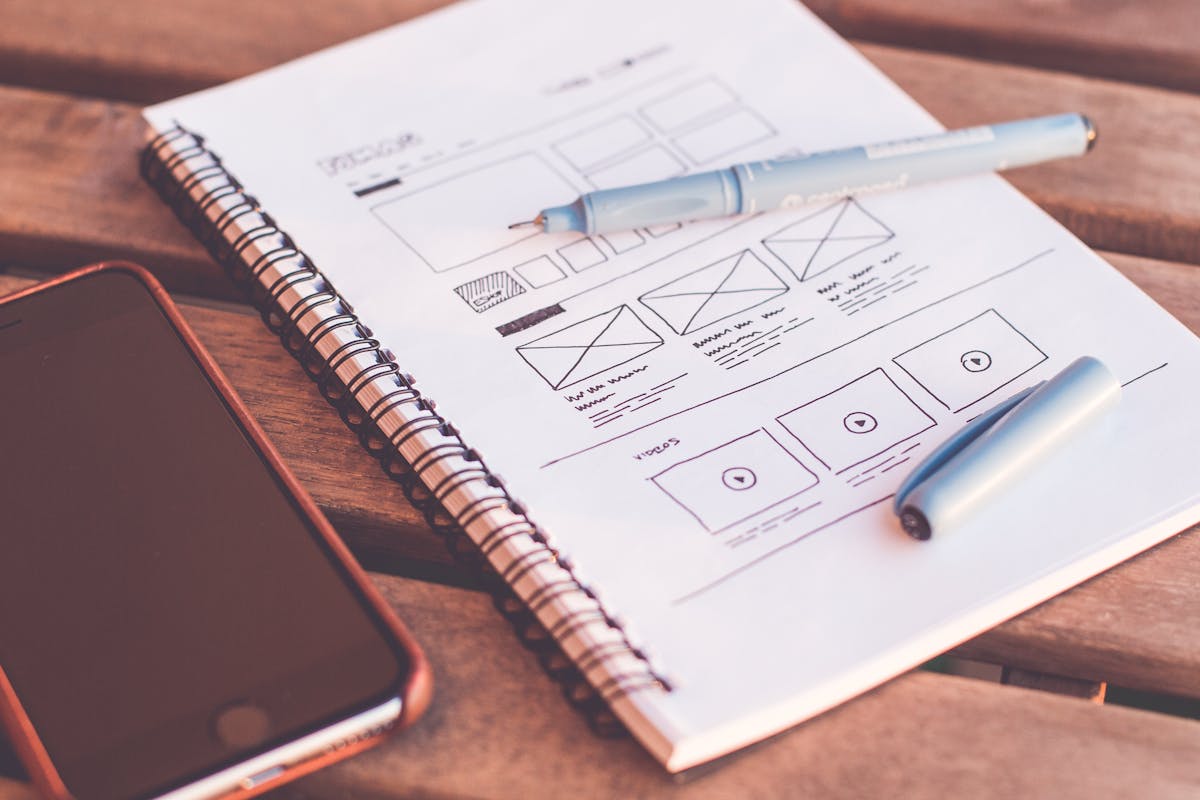
Starting a project with a website wireframe guide is one of the best ways to pressure-test usability before you commit to visual design. Wireframes force you to focus on structure and flow, revealing navigation problems while they are still cheap to fix.
3. Prioritize Accessibility
Accessible design is ethical design — but it is also smart business. An estimated one billion people worldwide live with some form of disability, and designing inclusively expands your audience while also improving the experience for everyone.
Core accessibility principles to implement:
- Maintain a minimum contrast ratio of 4.5:1 for body text against its background
- Ensure all interactive elements are reachable and operable via keyboard
- Add descriptive alt text to images so screen readers can convey meaning
- Use semantic HTML elements (header, nav, main, footer) to give structure meaning
- Avoid relying on color alone to convey information — use labels, icons, or patterns in combination
Accessibility is not a checklist exercise — it is a mindset. When you design for users with visual impairments, motor limitations, or cognitive differences, you almost always end up with cleaner, clearer experiences for everyone else too.
4. Reduce Cognitive Load
Every decision a user has to make costs mental energy. Cognitive load theory tells us that humans have limited working memory, and when a site overwhelms users with too many choices, complex language, or cluttered layouts, they disengage.
Practical ways to reduce cognitive load:
- Limit navigation to the most essential options — more choices create more paralysis
- Break long forms into multiple steps rather than presenting everything at once
- Use familiar UI patterns (hamburger menus, breadcrumbs, sticky headers) that users already know how to use
- Write microcopy — button labels, instructions, error messages — in plain, direct language
- Avoid auto-playing videos, pop-ups, and animations that compete for attention
The goal is a site that feels effortless. When users can move through your site without consciously thinking about how to use it, you have achieved something powerful.
5. Design Responsive, Mobile-First Experiences
More than half of all web traffic worldwide now comes from mobile devices, and that share continues to grow. Responsive web design is not optional — it is foundational to any credible UX strategy.
Mobile-first design asks you to solve the toughest constraints first: smaller screens, touch inputs, slower connections, and distracted users. When you nail the mobile experience and then scale up, the desktop version almost always benefits too.
Key considerations for responsive UX include touch-friendly tap targets (at least 44x44 pixels), thumb-friendly navigation placement, streamlined content that does not rely on hover states, and fast load performance through optimized assets and lazy loading.
6. Provide Immediate and Clear Feedback
Users need to know their actions have consequences. When someone clicks a button, submits a form, or makes a purchase, the interface should immediately confirm that something happened — or explain clearly when something went wrong.
Feedback mechanisms to build into every project:
- Hover and active states on all clickable elements
- Inline form validation that shows errors in real time, not just on submission
- Success messages that confirm completed actions
- Progress indicators for multi-step processes or long operations
- Helpful error messages that explain what went wrong and how to fix it
Silence is confusing in a digital interface. When a user takes action and nothing appears to happen, they will click again, navigate away, or worse — lose trust in your site entirely.
7. Test With Real Users
No UX principle matters as much as this one: test your assumptions with real people. Usability testing does not have to be expensive or complicated. Even five users completing basic tasks on your site will surface patterns and problems you never anticipated during design.
Record sessions, observe where users hesitate, note which labels confuse them, and watch where they look for things they cannot find. This qualitative data is worth more than any analytics report because it tells you the why behind user behavior.
Combine usability testing with quantitative data — heatmaps, scroll depth, conversion funnels — and you have a continuous improvement loop that makes your site measurably better over time.
Putting It All Together
Great UX design is not about following a rigid rulebook — it is about building a deep understanding of your users and making deliberate decisions that serve them. Visual hierarchy, usability, accessibility, reduced cognitive load, responsive design, meaningful feedback, and ongoing testing: these principles compound on each other. Implement them consistently and your website becomes a tool that works for your users rather than against them.
Ready to build better user experiences from the ground up? Subscribe to the blogthememachine.com newsletter for weekly insights on web design, UX strategy, and digital marketing — or reach out to our team directly to start your next project on the right foundation.